
Understanding Google Postmaster Tools
Google Postmaster Tools is a valuable resource for senders looking to troubleshoot deliverability issues and better understand how Gmail evaluates their email traffic. The platform provides visibility into key performance indicators that help identify problem areas in sending practices, such as spam rates, reputation, authentication, and delivery errors.
According to Gmail, the insights available in Postmaster Tools can be used to assess the overall health of an email program. Even when Gmail is not the primary target mailbox provider, understanding how your email is perceived by Gmail often provides useful signals about how your sending reputation may be viewed by other providers as well.
Once configured, the platform organizes its reporting into multiple dashboards, each focused on a specific data point such as spam rate, IP reputation, domain reputation, authentication, encryption, feedback loop activity, and delivery errors. This structured dashboard view makes it easier to monitor performance trends, investigate issues, and maintain strong deliverability over time.
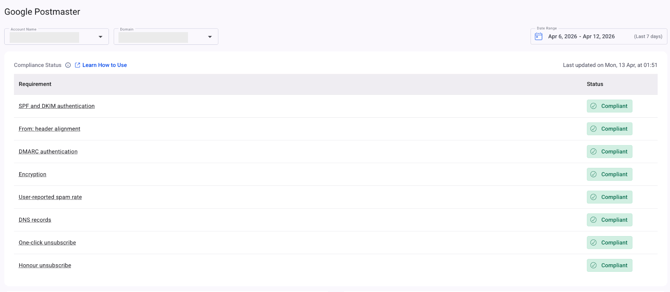
Compliance Status: The dashboard above provides visibility into email sender requirements compliance for your domain and its subdomains. It helps monitor whether your sending practices align with provider requirements, making it easier to identify and address compliance-related issues that could affect deliverability.
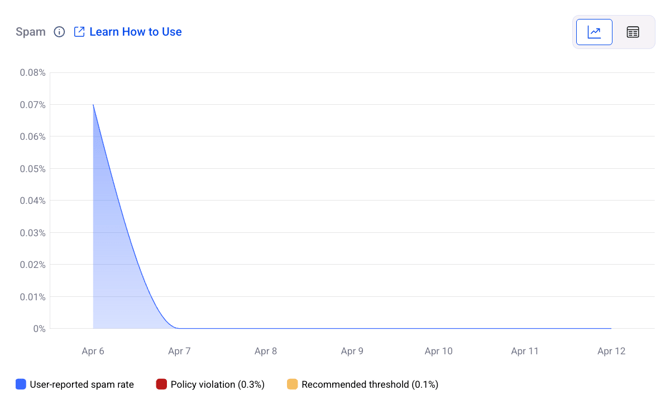
Spam: This dashboard displays the percentage of user-reported spam relative to emails that were successfully delivered to the inbox for active users. Messages sent directly to the spam folder are excluded from this calculation. In addition, only emails authenticated with DKIM are considered eligible for spam-rate measurement.
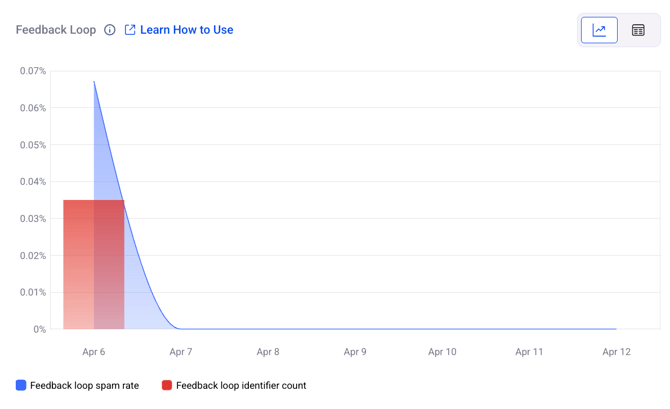
Feedback Loop: This dashboard is only available to senders who have implemented the Gmail Spam Feedback Loop (FBL).
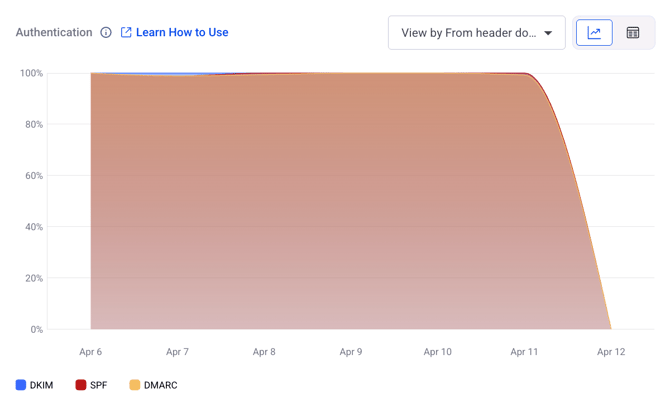
Authentication: This metric shows the proportion of traffic that successfully passed SPF, DKIM, and DMARC authentication compared to all received traffic that attempted authentication.
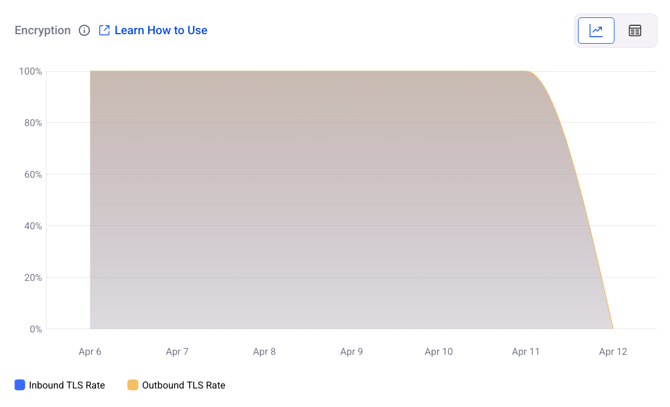
Encryption: This metric displays the proportion of TLS-encrypted traffic compared to all mail received from the domain. It is presented as two separate graphs within the same dashboard for clearer comparison and analysis.
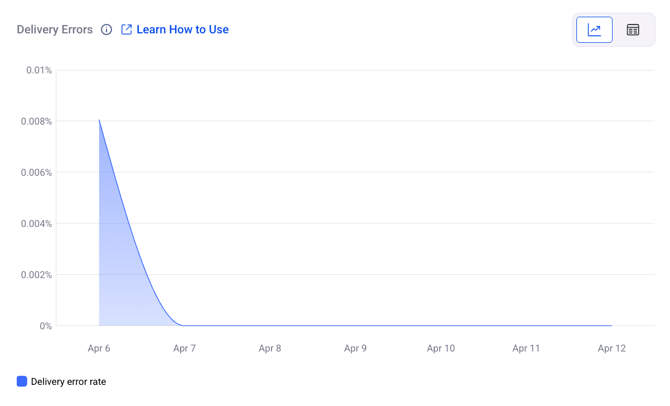
Delivery Errors: This metric shows the proportion of rejected and temporarily failed traffic compared to all authenticated mail coming from the domain, displayed within a single graph. Messages are typically rejected or temporarily failed due to SMTP error codes such as 550 (permanent failure) or 421 (temporary failure).
If you have any questions, please don’t hesitate to open a support ticket, and our team will assist you.