
The Integrations page is where you connect your platform with the tools your team already uses every day. From CRM and sales platforms to email marketing and PSA systems, this section makes it easy to find the right app, check its status, and connect it in just a few clicks.
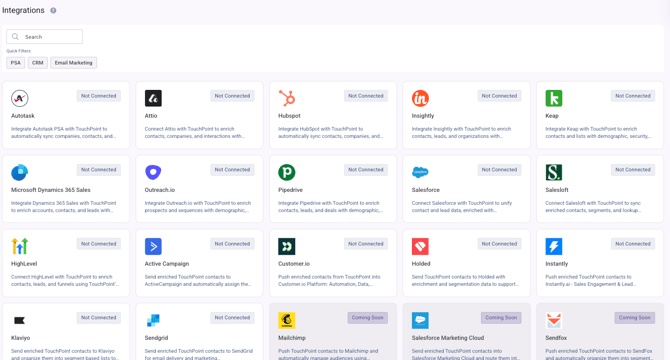
At the top of the page, you can quickly search for a specific integration by name. You can also use the quick filters to narrow results by category, such as PSA, CRM, or Email Marketing, so you can find the right tools faster.
Each integration is displayed as a card with the app name, logo, and a short description of what it does. You can see whether an integration is connected, not connected, or coming soon, which gives you an instant view of what is already active and what is available to set up next.
Some integrations also include a step-by-step connection guide to make setup easier. However, integrations that connect via OAuth do not require a manual guide, since they can be connected directly through the authorization flow.
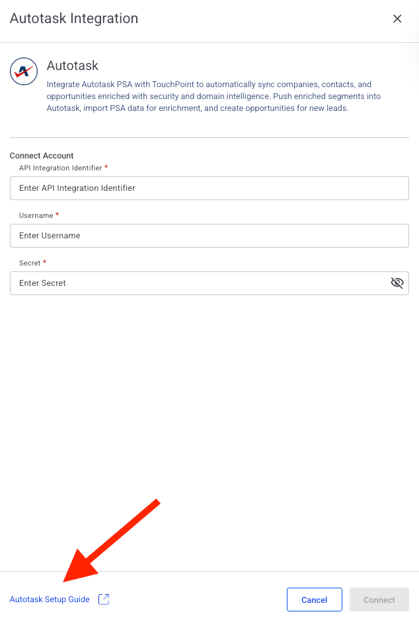
This section helps you manage your connected ecosystem more efficiently by showing which tools can sync contacts, companies, leads, deals, campaigns, and other important data. It is designed to simplify setup, improve visibility, and keep your systems working together smoothly.
In case any further questions arise, feel free to contact EasyDMARC technical support.