
When you activate the Managed MTA-STS and TLS-RPT solution within EasyDMARC, the setup for TLS-RPT is automatically covered.
-
Your TLS reports will be automatically redirected to EasyDMARC.
-
If you have any existing TLS destination addresses, the system will not touch them. It will simply add the EasyDMARC TLS destination to ensure reports are received.
-
There is no need to manually extract or add the EasyDMARC TLS reporting address to your DNS setup, as this is handled by the managed solution.
You can view the processed reports in the TLS Reports section of your dashboard.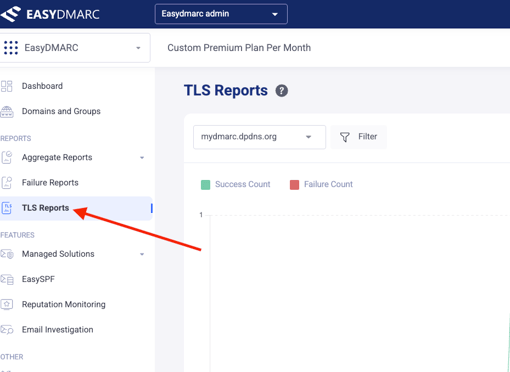
Locating the EasyDMARC TLS-RPT Address (If Needed)
In case you need to find the specific TLS-RPT reporting address provided by EasyDMARC for your domain (e.g., to use in a non-managed setup or for reference):
-
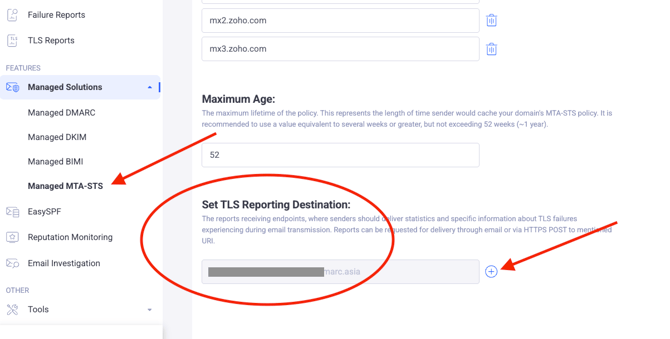
Navigate to the Managed MTA-STS section.
-
Scroll down to the "Set TLS Reporting Destination" section.
-
Here you will see the EasyDMARC TLS reporting address and have the option to add any additional TLS destination addresses.
In case you have any specific questions, feel free to contact EasyDMARC technical support.