
SparkPost is a cloud-based email delivery platform used by developers and marketers to send transactional and marketing email at scale, with detailed analytics on deliverability, engagement, and sender reputation.
To integrate SparkPost with EasyDMARC, please check the steps below:
1. Log in to SparkPost:
Sign in to your SparkPost account (US or EU region).
2. Create API Key:
Navigate to Configuration > API Keys and click "Create API Key."

3. Set Permissions:
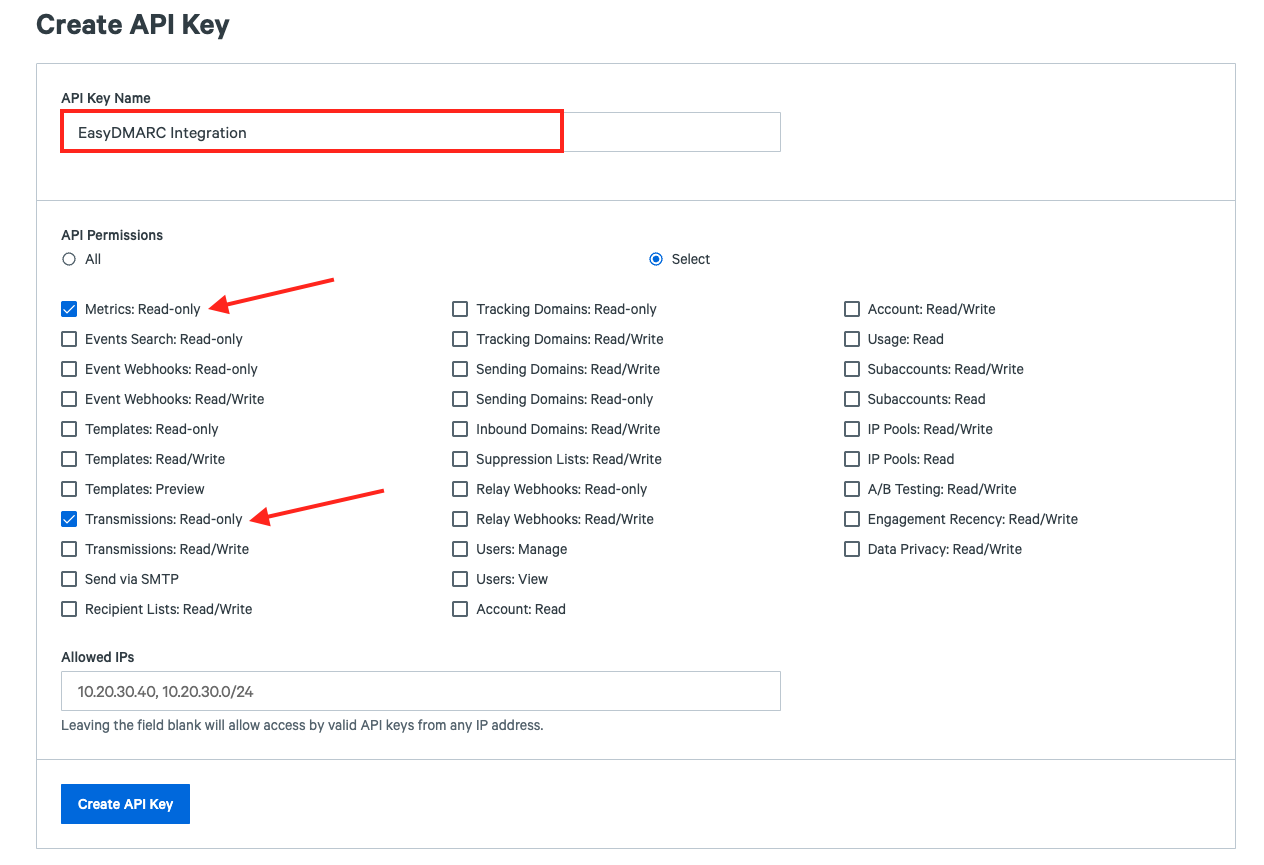
Give the key a name (e.g., "EasyDMARC Integration"). Under API Permissions, select "Metrics: Read-only" and "Transmissions: Read-only."
4. Copy the Key:
Important: Copy the API key immediately. It will not be shown again.
5. Connect:
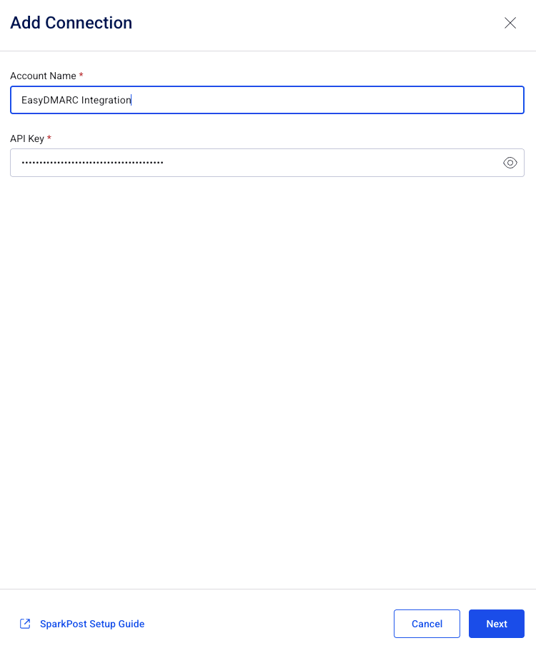
Paste the API Key into your EasyDMARC integration settings panel.
6. Verify Domain:
Ensure your "Sending Domain" is verified in SparkPost to allow EasyDMARC to retrieve campaign data correctly.
If there are still questions or concerns that remain uncovered after checking this article, you can contact EasyDMARC Technical Support.
To integrate SparkPost with EasyDMARC, please check the steps below:
1. Log in to SparkPost:
Sign in to your SparkPost account (US or EU region).
2. Create API Key:
Navigate to Configuration > API Keys and click "Create API Key."
3. Set Permissions:
Give the key a name (e.g., "EasyDMARC Integration"). Under API Permissions, select "Metrics: Read-only" and "Transmissions: Read-only."
4. Copy the Key:
Important: Copy the API key immediately. It will not be shown again.
5. Connect:
Paste the API Key into your EasyDMARC integration settings panel.
6. Verify Domain:
Ensure your "Sending Domain" is verified in SparkPost to allow EasyDMARC to retrieve campaign data correctly.
If there are still questions or concerns that remain uncovered after checking this article, you can contact EasyDMARC Technical Support.