
EasyDMARC allows you to monitor your Klaviyo domain reputation and deliverability alongside your other ESPs. Because Klaviyo uses a different authentication method (OAuth), the connection process is secure and does not require copying and pasting API keys.
To integrate Klaviyo with EasyDMARC, please check the steps below:
Prerequisites:
- You must be an Owner or Admin of the Klaviyo account.
- You should have at least one active sending domain (or have sent emails in the past 30 days).
Step-by-Step Configuration:
1. Initiate Connection:
- Log in to EasyDMARC.
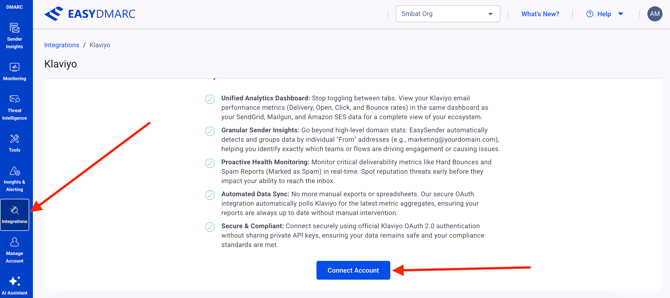
- Navigate to Integrations.
- Locate the Klaviyo card and click "Connect Account".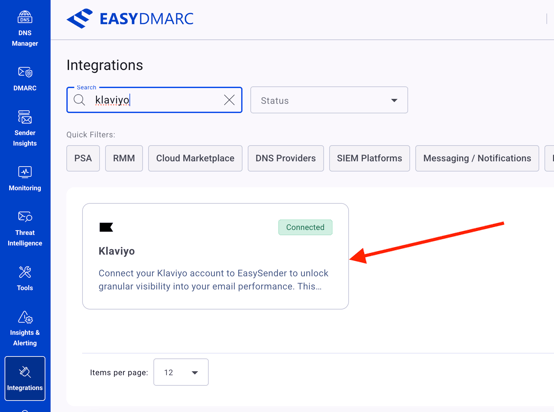
2. Initial setup:
- A window will open. Enter a name for your connection.
- Click "Next".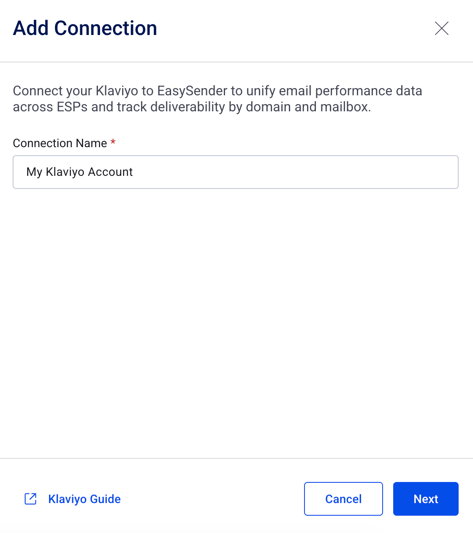
3. Authenticate (OAuth):
- You will be redirected to klaviyo.com.
- If you are not logged in, enter your Klaviyo credentials.
- A permissions screen will appear: "EasyDMARC would like to access your Metrics and Account Information."
- Click Allow. You will be redirected back to EasyDMARC.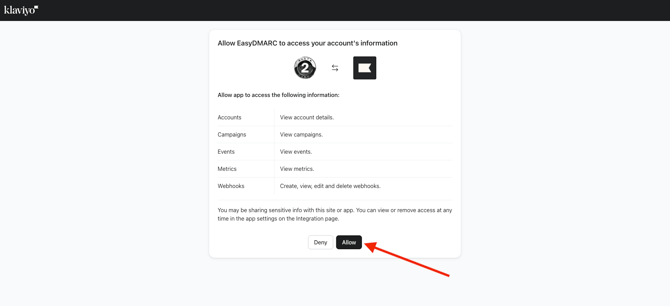
4. Select Domains:
- EasyDMARC will now scan your account for active sending domains.
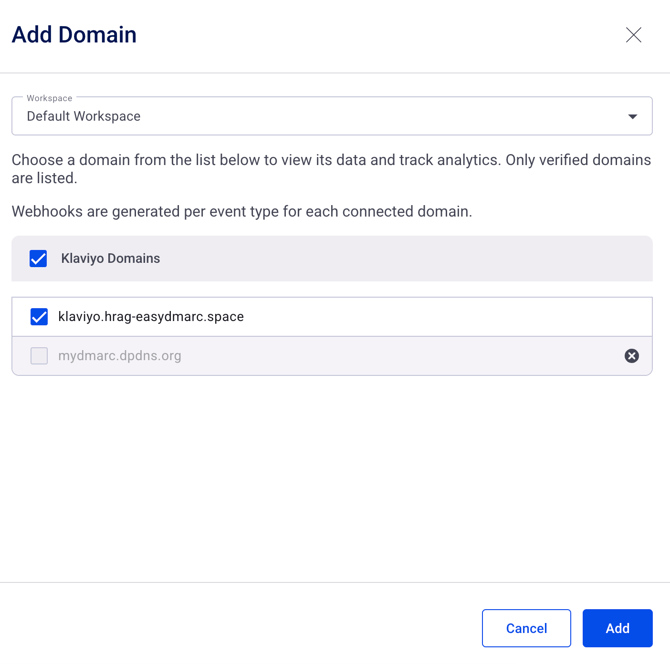
- Scenario A (Automatic Detection): You will see a list of domains like shop.mybrand.com. Check the box next to the domains you wish to track.
- Scenario B (Manual Entry): If you just set up a new domain today, it may not appear yet. Click "Add Domain" and select from the list.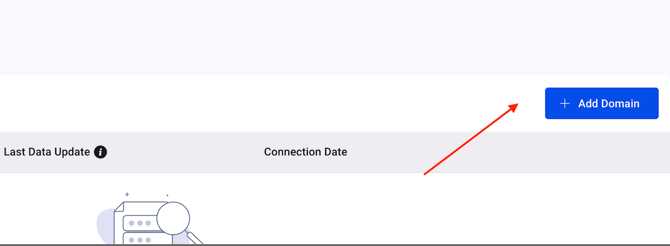
5. Data Synchronization:
- The system will begin a historical sync (this may take up to 5 minutes).
- Once complete, your Klaviyo data will appear in the main Dashboard under the "Klaviyo" filter.
Troubleshooting:
- Why do I see klaviyomail.com? This indicates you are sending some emails via Klaviyo's shared infrastructure rather than your branded domain. We recommend selecting it to monitor your shared reputation.
- Why is my Open Rate different from Klaviyo's dashboard? EasyDMARC calculates Open Rate based on Unique Opens divided by Total Delivered. Klaviyo sometimes uses different denominators depending on the specific report.
If there are still questions or concerns that remain uncovered after checking this article, you can contact EasyDMARC Technical Support.