
When you perform an inbox placement test using our deliverability tester without logging in or creating an account, the results are not saved in our database.
This is because the pre-registration tests are designed to be instant, so they aren’t stored in the system and you should explicitly request the report via email.
Here’s how it works:
When you run a test without being logged in, the system provides two options:
1. Email me the full report
2. Sign up to get full access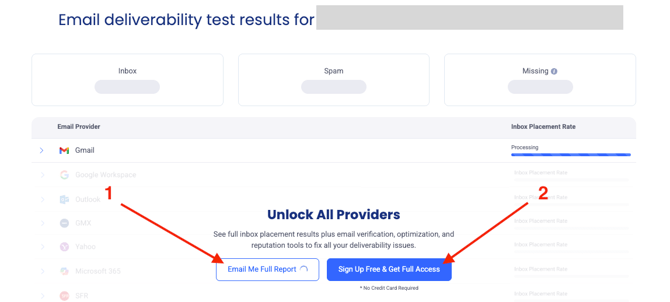
Important clarification:
The results of the one-time test are sent to your email only if you choose the “Email me the full report”, and if not, they are not stored in your account or in our database, as the pre-registration tests are designed to be instant.
If you chose “Sign up to get full access” after running the test, that does not save the previous test results. However, after signing up you can run a new test from inside the platform.
What can you do now?
Now that you have an account, you can easily get full and persistent results running new tests:
Simply run a new test from your dashboard by navigating to EasySender >> Inbox Placement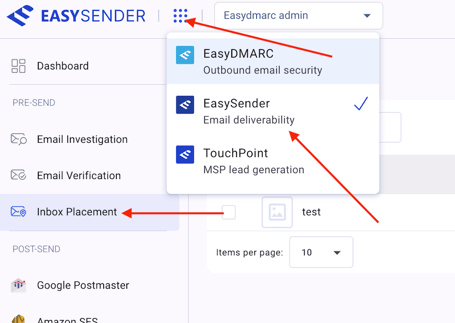
This time, your results will be fully visible in the platform and saved in your account for future access.
Tip for next time
When running a test without logging in again, please make sure to click “Email me full report” to keep a copy of the results.