
If you want to leave an organization, follow the steps below:
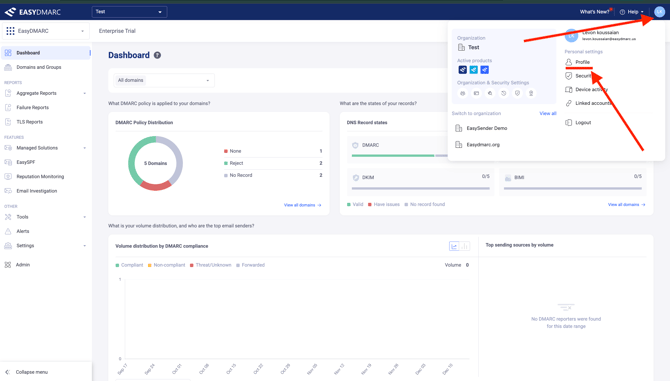
- In your dashboard, locate the circle profile icon in the upper right corner. Click on it and select Profile under the Personal Settings section.
-
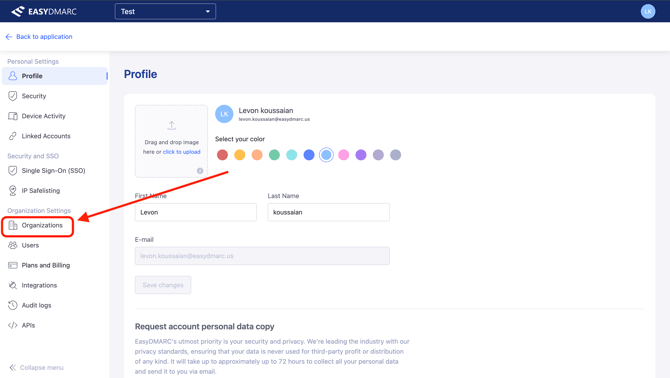
Under Organization Settings, click on Organizations. This will display the list of your organizations.
-
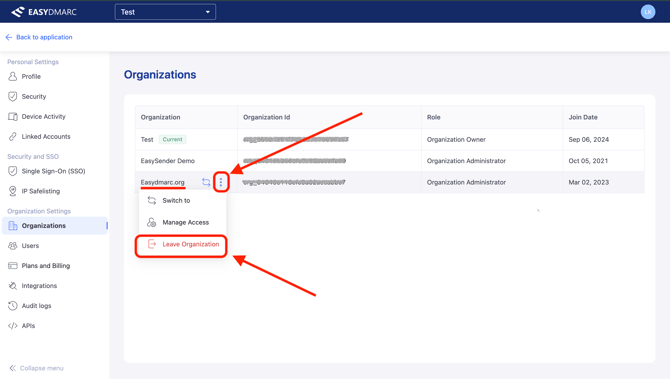
Find the organization you want to leave, click the three dots next to its name, and select Leave Organization.
-
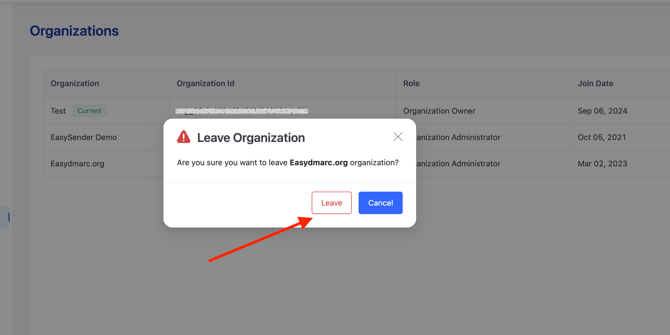
A confirmation pop-up will appear. Click Leave to confirm, and the organization will be removed from your account.
By following these straightforward steps, you can quickly and securely leave an organization from your account.