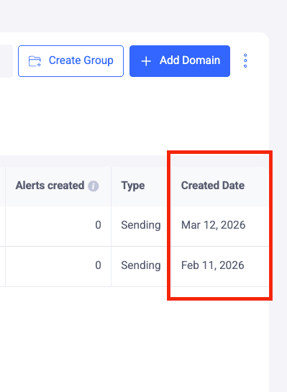
You can easily track when a domain was added to your account by customizing your dashboard view. Follow these steps:
-
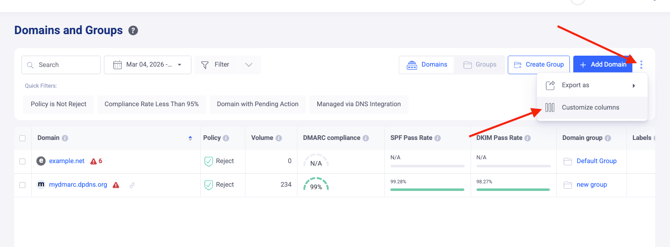
Navigate to the Domains and Groups page from the main menu.
-
Access Settings: In the upper right corner of the domain list, click the three-dot (⋮) icon and select Customize Columns.
-
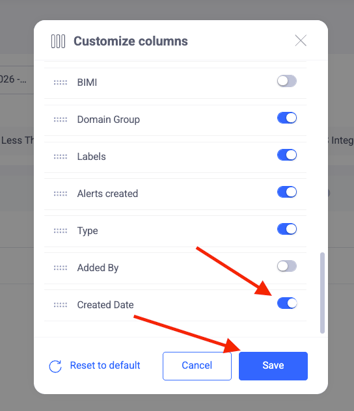
Enable the Column: In the pop-up menu, locate the Created Date option and toggle it on.
-
View Data: A new column will appear in your domain table, displaying the exact date each domain was integrated into EasyDMARC.