
DNS Manager is the solution provided by EasyDMARC that connects to the DNS providers you already use. It brings your supported zones into one view, checks them for issues, monitors live DNS behavior, and adds safer change and recovery controls.
While using DNS Manager in EasyDMARC, your records are still hosted by the DNS provider.
However, DNS Manager adds an operating layer above it without moving your domain away from your existing provider. DNS Manager helps you manage your domains' DNS records and make sure that they are correct, available, controlled, and recoverable.
When navigating to the "DNS Manager" section, you will see your domain(s) that are already added to the platform, or you will see a blank page if you don't have any domains added to your account.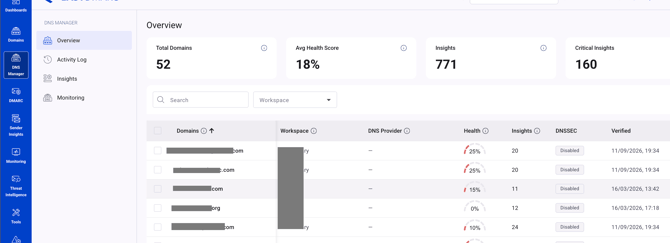
If you have no domains added to the platform yet, the first step in getting started with DNS manager would be adding a domain or domains to the platform.
You will be given two options for this:
1. Add domain (manual option)
2. Connect DNS provider (using the DNS integrations in EasyDMARC)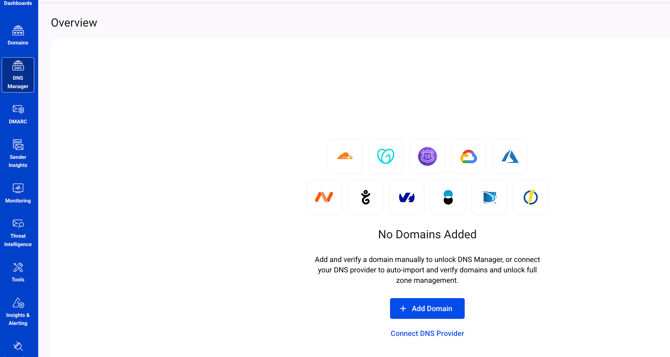
When you click the "Add domain" button, you will be redirected to the "Domains" page to add your domain.
On the other hand, you can click the "Connect DNS provider" button, and you'll be redirected to the DNS integrations page where you can find your DNS provider and integrate by following the guide.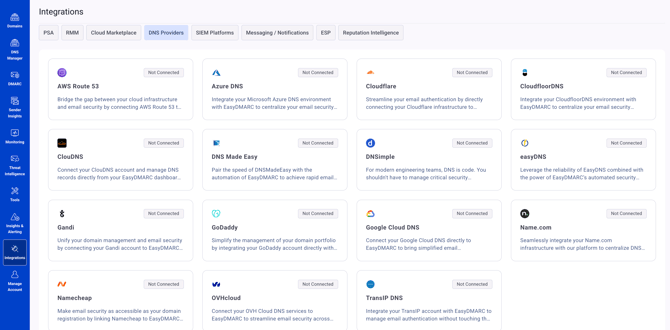
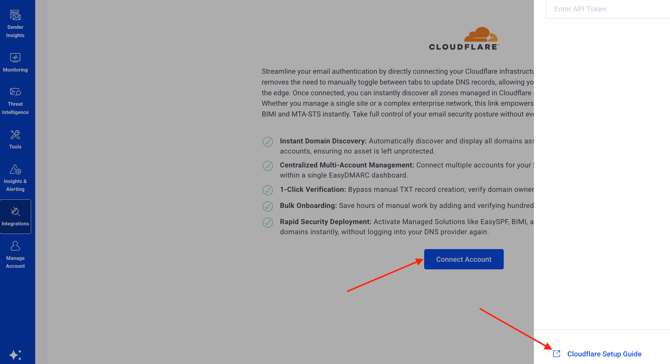
Before connecting a provider, you can:
- See your verified domains in the portfolio.
- Analyze public DNS and email-authentication records.
- Surface supported findings and health signals.
- Monitor nameserver behavior and propagation signals supported by the product.
After connecting a supported provider, you can also:
- View the provider zone in the same interface.
- Add, edit, or delete supported record types.
- Validate changes and show what will change before submission.
- Keep richer change history, record versions, and zone recovery points using snapshots and other features.
Please find the setup guides for all DNS integrations in our DNS integrations Knowledge Base section.
In case of any questions, feel free to reach out to EasyDMARC's Support team!