
Manage and Monitor Your Domains in One Place
The Domains module is your central workspace for managing all domains associated with your organization. It helps you add, verify, monitor, and take action on domains—without switching between different parts of the platform.
Whether you're managing a few domains or hundreds, this module gives you full visibility and control over your domain setup and performance.
Getting Started
When you first open the Domains module, you’ll see an empty state if no domains have been added yet.
To begin:
- Click Add Domain
- Choose how you want to add your domains (manually or via discovery)
Adding Domains
There are two main ways to add domains:
1. Add Domains Manually
Best when you already know which domains you want to manage.
Tag-based Input: You can type or paste multiple domains. The system validates them in real-time to ensure the format is correct and that the domain isn't already registered elsewhere.
Bulk Ingestion: If you’re adding a long list, the system will process them all at once, allowing you to skip individual verification until you're ready.
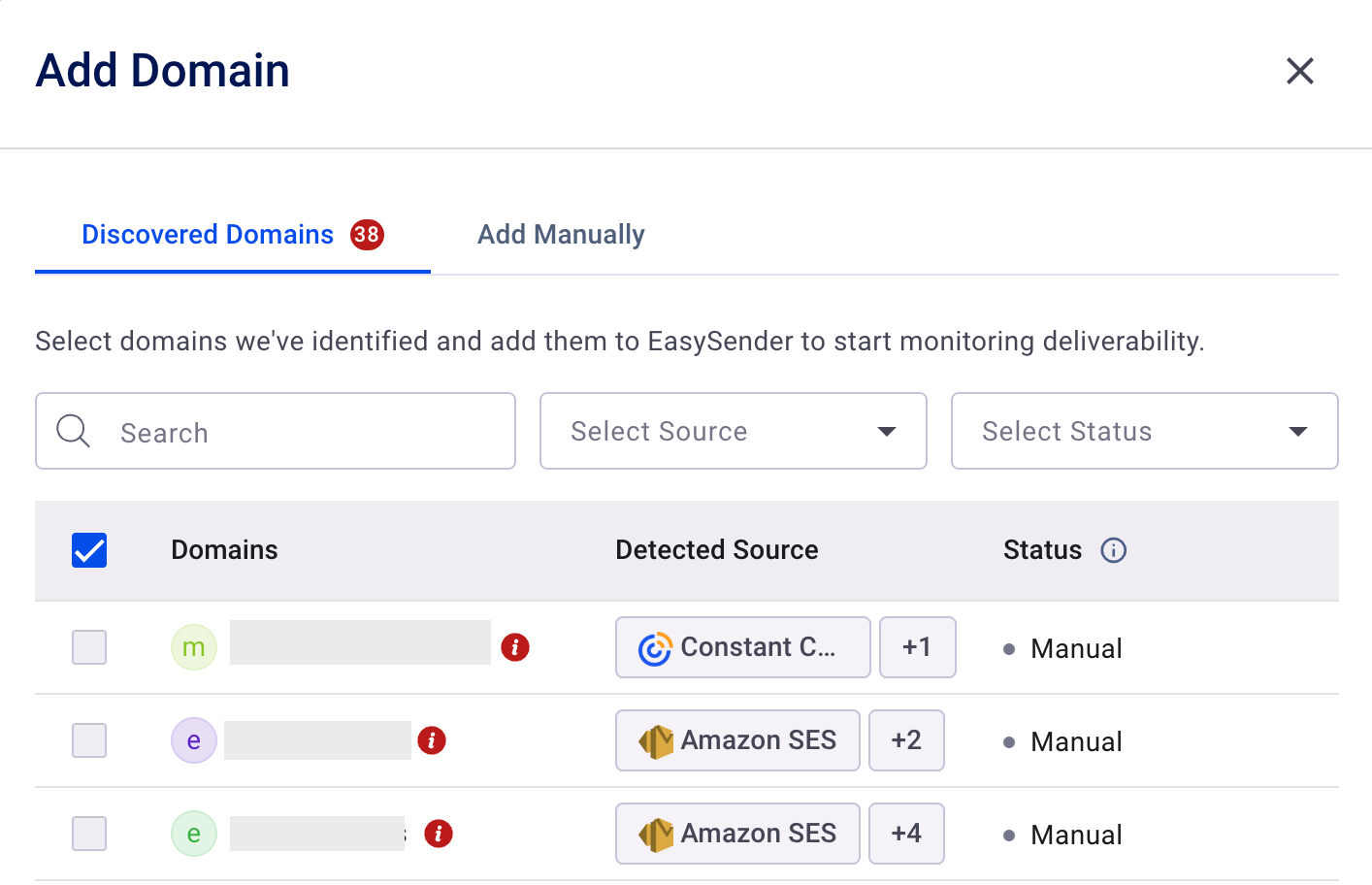
2. Add Discovered Domains
Best when you want the system to find domains automatically.
If you have already connected integrations like Google Postmaster, the system automatically scans for domains you own.
- How it works: Navigate to the "Discovered" tab in the Add Domain drawer. You’ll see a list of detected domains, their source, and their current status.
- One-Click Add: Select the domains you want to manage and add them instantly.
The Verification Framework
A domain is only useful if it’s verified. Our new framework detects your DNS provider and offers the most efficient path to activation:
- Direct DNS Integration: If we detect a supported provider, you can verify your records (like DMARC) automatically without leaving the platform.
- Entri Guided Setup: For supported providers, Entri provides a seamless, semi-automated setup.
- Manual Verification: If you prefer the old-school way, we provide clear Type, Host, and Value fields with a one-click "copy" function for your DNS records.
Tip: You can "Defer" verification during the setup process to get your domains into the table now and handle the technical DNS work later.
Sub-domain Handling
To keep your dashboard clean, the system treats sub-domains intelligently:
- Independent Entities: A sub-domain (e.g., marketing.example.com) is treated as its own entity only if it has its own independent DMARC record.
- Inherited Assets: If it relies on the primary domain's records, it is grouped under the primary domain to prevent clutter.
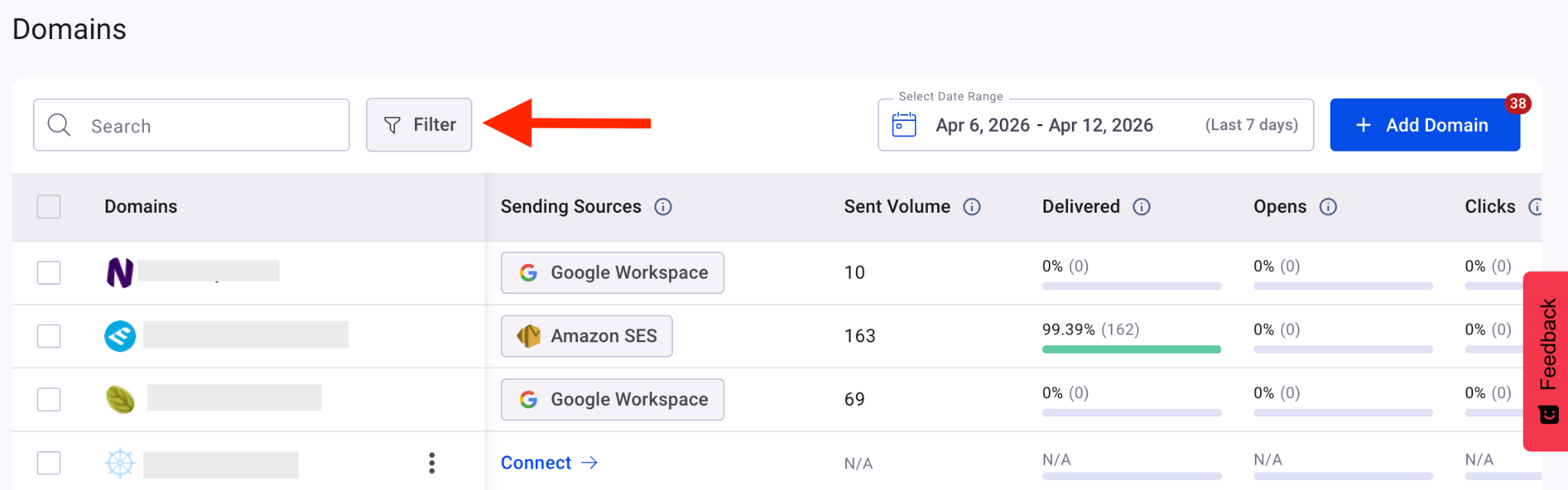
The Domain table
Key Features of the Table:
- Live Metrics: View open rates, bounce rates, and deliverability scores specifically for each domain.
- Connection Chips: Quickly see which "Sending Sources" (ESPs) are linked to which domain.
- Advanced Filtering: Filter by source, verification status, or custom labels to find exactly what you need.
- Health Indicators: Unverified domains or those with configuration issues are visually highlighted (e.g., blurred rows or "N/A" placeholders) so you can prioritize fixes.
Efficiency Through Bulk Actions
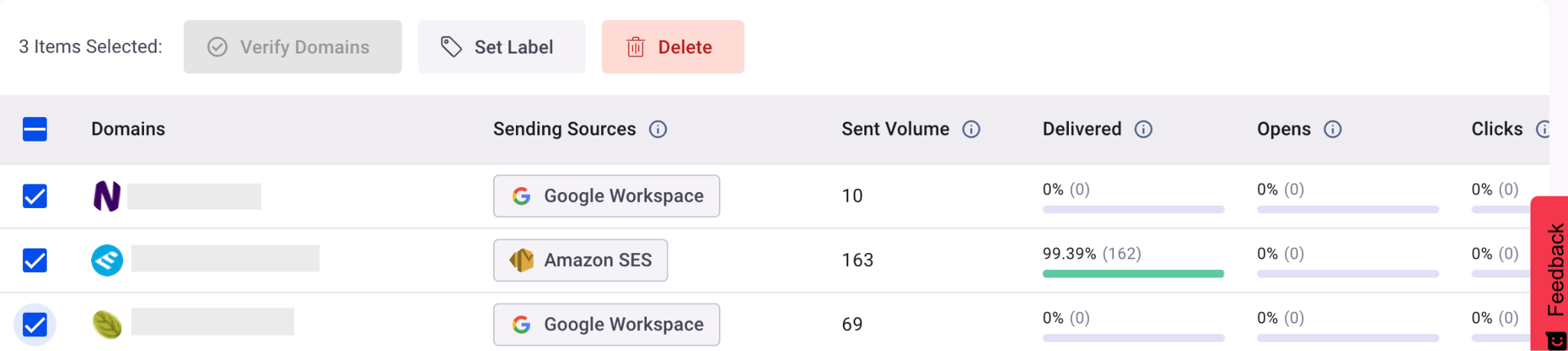
For power users, manual one-by-one updates are a thing of the past. By selecting multiple rows in the table, you can trigger Bulk Actions:
- Bulk Verify: Check the status of dozens of domains simultaneously.
- Bulk Labeling: Organize your domains by client, region, or department.
- Bulk Deletion: Clean up stale or unused domains in seconds.
If you have any questions, please don’t hesitate to open a support ticket, and our team will assist yo