
Constant Contact is an email marketing platform built for small businesses, offering easy-to-use tools for designing newsletters, managing contact lists, running automated campaigns, and tracking engagement performance.
To integrate Constant Contact with EasyDMARC, please check the steps below:
1. Start Authorization:
Click the "Connect Account" button. A pop-up window will open.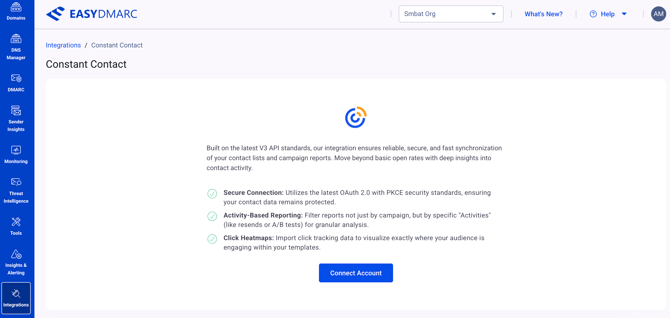
2. Login & Grant:
Sign in with your Constant Contact username and password. Click "Allow" to grant EasyDMARC permission to read your Campaigns and Contacts.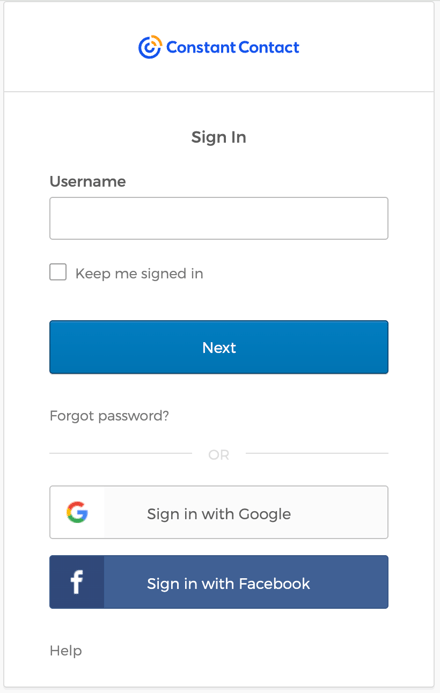
3. Initial Sync:
Once redirected, the system will begin an initial historical sync. This may take 5-10 minutes depending on your list size.
4. Note on Privacy:
We use the official V3 API, which strictly adheres to Constant Contact's permission scopes. We only access the data required to build your reports.
If there are still questions or concerns that remain uncovered after checking this article, you can contact EasyDMARC Technical Support.