
To locate the audit logs in your EasyDMARC account, simply follow these two steps:
-
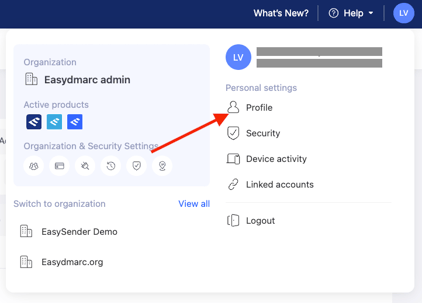
Navigate to your Profile section.
-
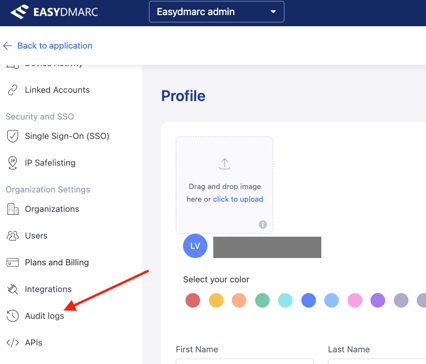
Find the Audit Logs link in the left sidebar menu.
In case you have any specific questions, feel free to contact EasyDMARC technical support.