
ActiveCampaign is a customer experience automation platform that combines email marketing, marketing automation, and CRM/sales tools, letting businesses send newsletters, automated email sequences, and targeted campaigns while tracking customer interactions in one place.
To integrate ActiveCampaign with EasyDMARC, please check the steps below:
1. Access Developer Settings:
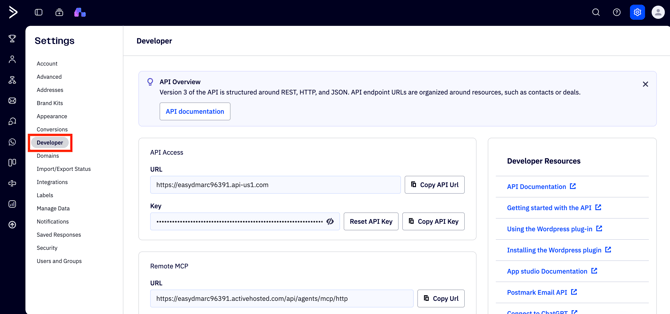
Log in to ActiveCampaign, click the Settings (gear icon) in the upper-right corner, and select Developer. 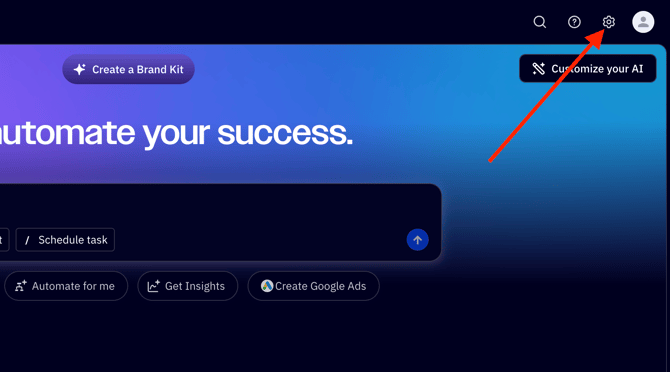
2. Locate Credentials:
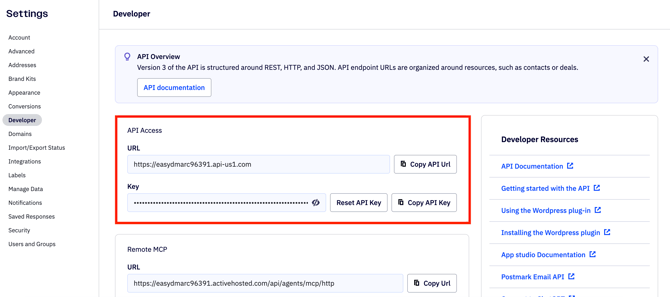
You will see a "URL" and a "Key."
3. Enter URL:
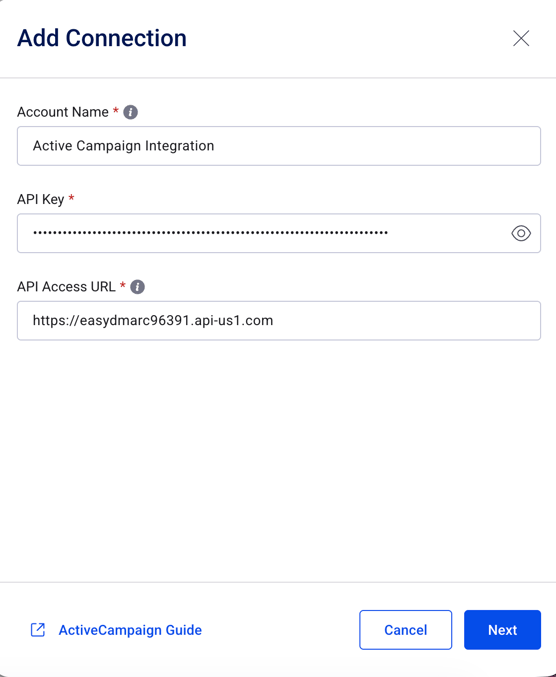
Copy the URL (e.g., https://yourname.api-us1.com) and paste it into our integration's "API Access URL" field.
4. Enter Key:
Copy the long alphanumeric Key and paste it into our "API Key" field.
5. Test Connection:
Click "Next." We will verify access by fetching a sample contact list.
In case of any questions feel free to reach out to EasyDMARC's Support Team!